Hello! This morning I released the first Qt6 edition of my PySide6 book Create GUI Applications, with Python & Qt6.
This PySide6 book update follows the 4th Edition of the PySide2 book, updating all the code examples and adding additional PySide6-specific detail. Whether you're new to Python GUI programming or looking to migrate from PySide2 to PySide6, this book has you covered.
The book contains 600+ pages and 200+ complete code examples taking you from the basics of creating PySide6 applications to fully functional desktop apps. Topics covered include widgets, layouts, signals and slots, custom widgets, model/view architecture, threads, plotting, and packaging your applications for distribution.
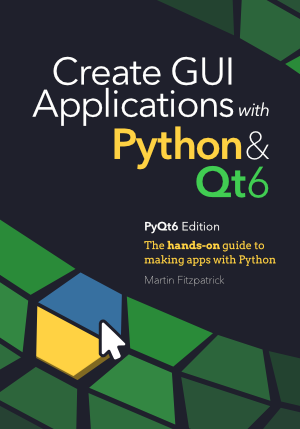
What you'll learn in this PySide6 book
- Getting started with PySide6 — Install PySide6 and build your first Python GUI application using Qt6.
- Widgets and layouts — Use built-in Qt widgets and layout managers to design professional interfaces.
- Signals and slots — Understand the Qt event system to make your apps interactive.
- Custom widgets — Create your own reusable Python GUI components.
- Model/View architecture — Work with data-driven views including tables, lists, and trees.
- Multithreading — Keep your GUI responsive by running tasks in background threads.
- Plotting and data visualization — Display charts and graphs inside your PySide6 applications using Matplotlib and PyQtGraph.
- Packaging and distribution — Package your PySide6 app for Windows, macOS, and Linux.
Who is this PySide6 book for?
This book is for Python developers who want to learn how to build desktop GUI applications. No prior experience with Qt or PySide is required — the book starts from scratch and progressively covers more advanced topics. If you've been building command-line tools or web apps in Python and want to create cross-platform desktop applications, this is the ideal resource to get started with PySide6 and Qt6.
Experienced PyQt5 or PySide2 developers will also benefit from the updated Qt6 examples and coverage of new features in PySide6.
Why choose PySide6 for Python GUI development?
PySide6 is the official set of Python bindings for Qt6, maintained by the Qt Company. It gives you access to the full power of the Qt framework — one of the most widely used toolkits for building cross-platform desktop applications. With PySide6 you can create native-looking apps that run on Windows, macOS, and Linux from a single Python codebase.
Compared to other Python GUI frameworks like Tkinter or Kivy, PySide6 offers a richer set of widgets, better documentation, and a mature ecosystem for building professional-grade applications.
If you have any questions or difficulty getting hold of this update, just get in touch.
Enjoy!
Expert Python GUI Developer — Get your project finished, polished and released on schedule, with my proven strategies for building reliable, maintainable and shippable software.
