Qt Designer is a cross-platform drag-and-drop GUI designer that can be used to build UIs for both PyQt and PySide. It is a great tool to simplify the process of building interfaces for your Python GUI applications.
While Qt Designer is distributed by Qt as part of the Qt Creator integrated IDE, most of that IDE is not useful or helpful for Python development -- primarily being designed for C++ developers. If you just want the Designer application, this is not currently available from Qt. But helpfully, other people have stepped up to make this available.
In this guide we'll look at the various options available for installing Qt Designer as a standalone application on Windows, macOS, and Linux.
Since the Qt Designer software is free software, these alternative distributions of Qt Designer are permitted.
Install Qt Designer with PyQt (pip)
Qt Designer is available on PyPI via the pyqt5-tools and pyqt6-tools packages. This can be pip installed just like any other Python package.
This wrapper will download and install Qt Designer for you and provide a command-line launcher to start the program.
- PyQt6
- PyQt5
pip install pyqt6-tools
pip install pyqt5-tools
After installation you can run Qt Designer from the command line using the built-in launcher.
- PyQt6
- PyQt5
pyqt6-tools designer
pyqt5-tools designer
If this doesn't work check your Python scripts folder is in your PATH.
Install Qt Designer with PySide6 (pip)
In recent versions of PySide6, Qt Designer is installed automatically when you install PySide6 with pip. After installation you can
run Qt Designer from the command line using the built-in launcher.
pyside6-designer
If the pyside6-designer command doesn't work, check your Python scripts folder is in your PATH. On some installations (particularly on Windows), a pyside6-designer launcher script may not be placed in the scripts folder. In that case, you can run Qt Designer directly from the PySide6 package installation directory. On Windows, look for designer.exe in your Python installation under Lib\site-packages\PySide6\. You can also launch it with python -m PySide6.designer from the command line.
Run Qt Designer with uv (no install)
If you have uv installed, you can run Qt Designer in a temporary environment without needing to install the package explicitly:
uvx --from pyside6-essentials pyside6-designer
This will download the necessary packages into a temporary environment, launch Qt Designer, and clean up afterwards.
Bring Your PyQt/PySide Application to Market — Specialized launch support for scientific and engineering software built using Python & Qt.
Install Qt Designer from the Qt Installer
If the above installation options don't work for you, you can follow the instructions below to install Qt Creator (which includes Qt Designer) or Qt Designer depending on your platform.
If you install Qt Creator you can access Qt Designer through it, even if you don't use any of the other functionality.
Install Qt Designer on Windows
Qt Designer is available in the installation packages for Qt available from the Qt downloads page. Download and run the appropriate installer for your system and follow the platform-specific instructions below. Installing Qt Designer will not affect your Python PyQt5/6 or PySide2/6 installation.
Qt Designer is not mentioned in the Windows Qt installer, but is automatically installed when you install any version of the Qt core libraries. For example, in the following screenshot we've opted to install the MSVC 2017 64-bit version of Qt -- what you choose will have no effect on your Designer install.
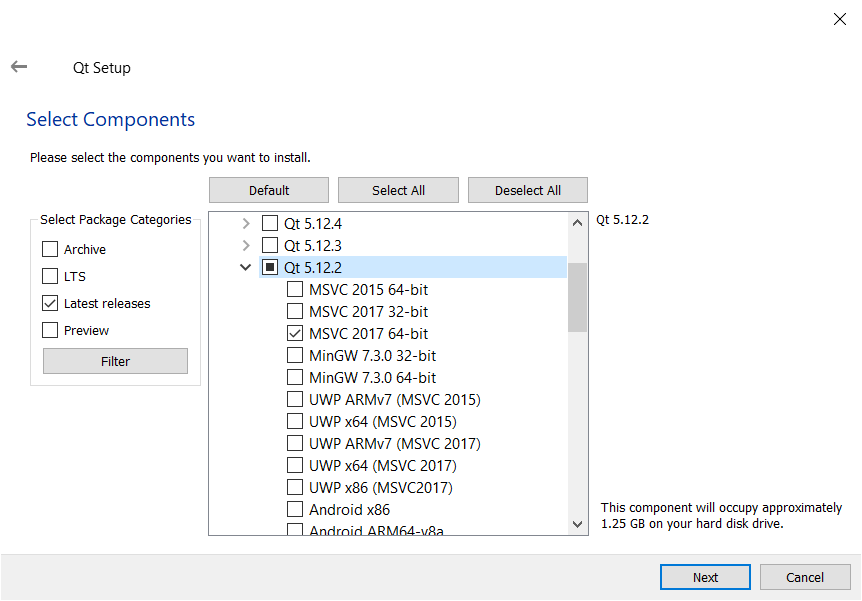 Installing Qt on Windows will also install Qt Designer.
If you want to install Qt Creator it is listed under "Developer and Designer Tools". Rather confusingly, Qt Designer isn't in here.
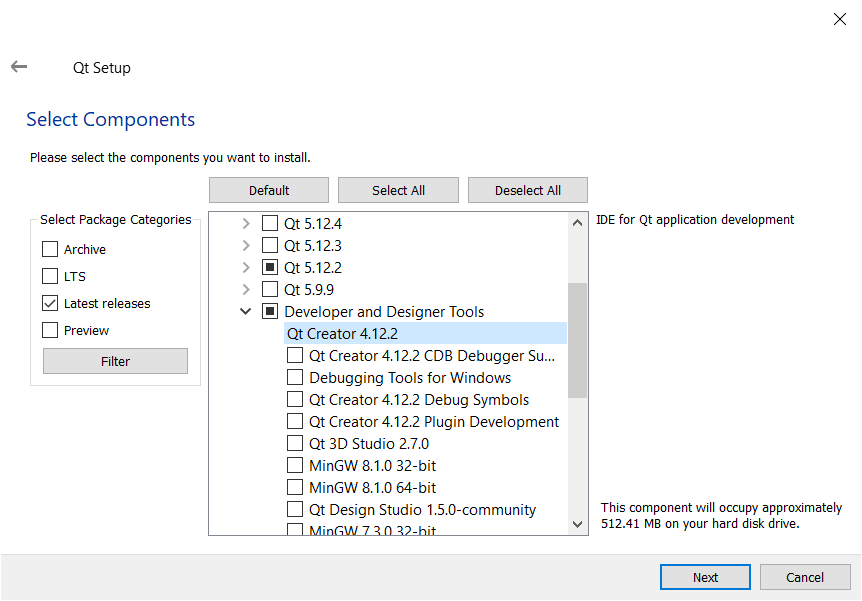 Installing the Qt Creator component.
Install Qt Designer on macOS
Qt Designer is available in the installation packages for Qt available from the Qt downloads page. Download and run the appropriate installer for your system and follow the platform-specific instructions below. Installing Qt Designer will not affect your Python PyQt5/6 or PySide2/6 installation.
Qt Designer is not mentioned in the macOS Qt installer, but is automatically installed when you install any version of the Qt core libraries. Download the installer from the Qt website -- you can opt for the open source version.
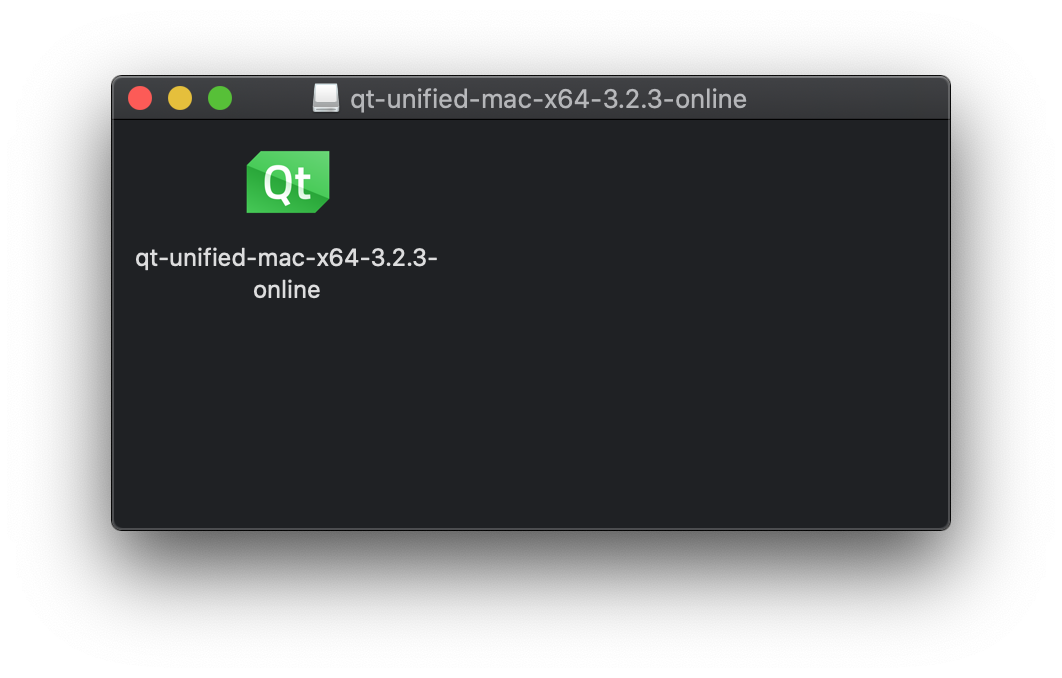 Inside the downloaded
 .dmg file you'll find the installer.
Open the installer to start the installation. Go through to where it asks you to choose which components to install. Select the macOS package under the latest version of Qt.
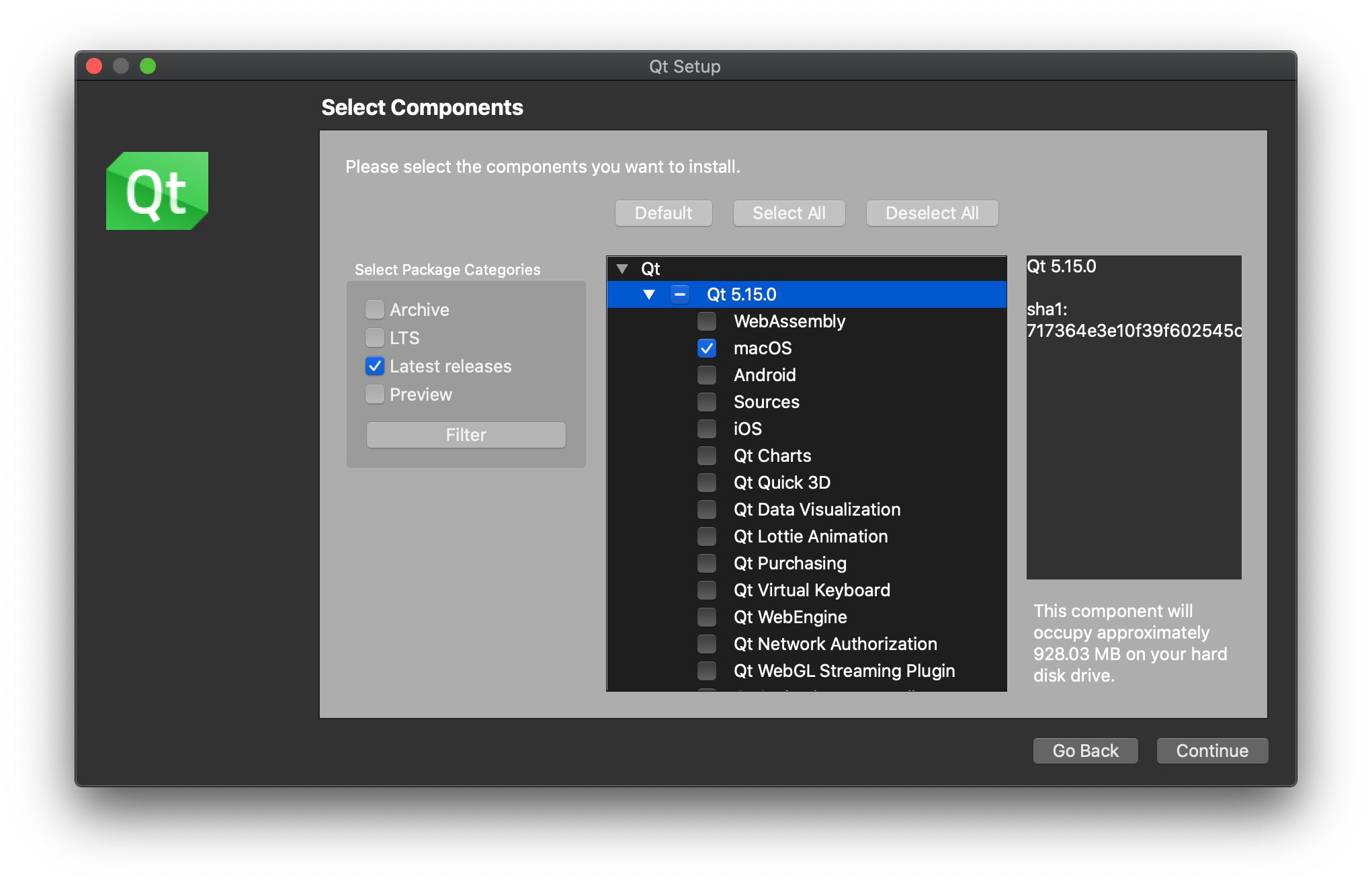 You only need the macOS package under the latest version.
Once the installation is complete, open the folder where you installed Qt. The launcher for Designer is under <version>/clang_64/bin. You'll notice that Qt Creator is also installed in the root of the Qt installation folder.
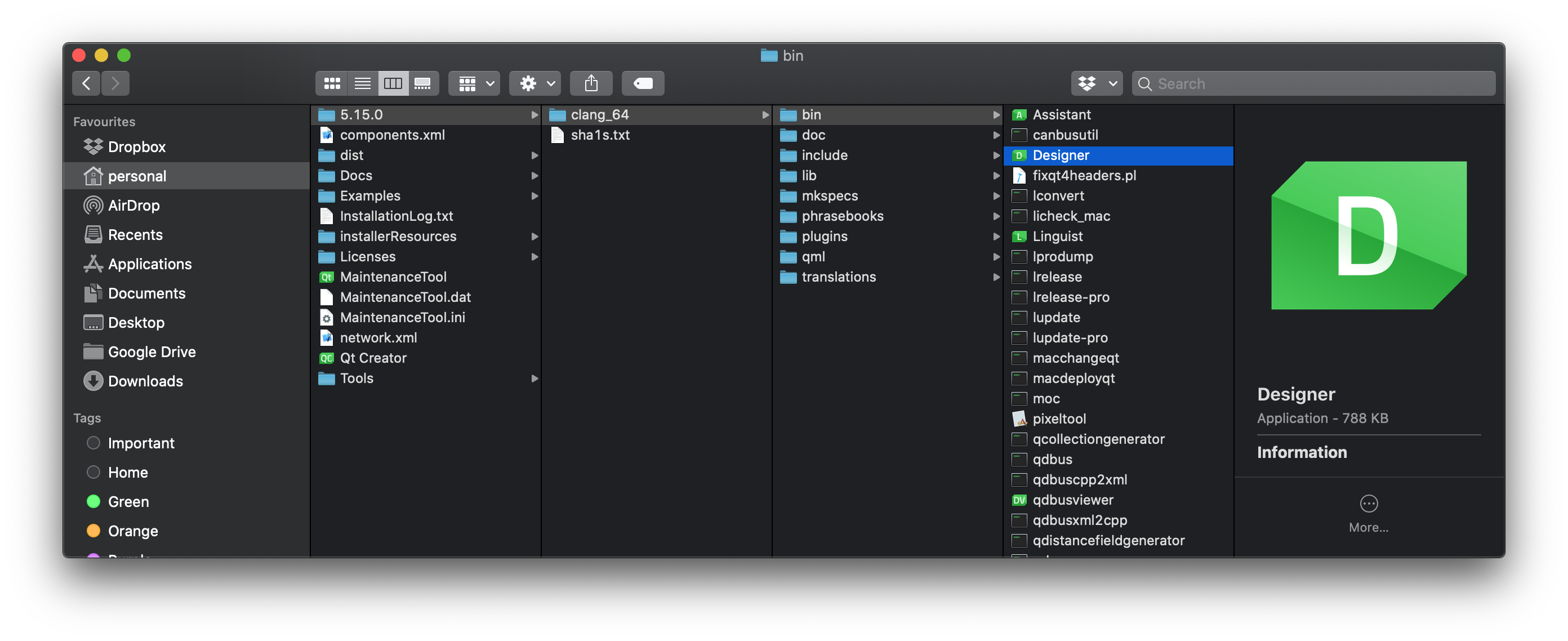 You can find the Designer launcher under the
You can run Designer from where it is located, or move it into your Applications folder so it is available to launch from the macOS Launchpad.
Install Qt Designer on Linux (Ubuntu & Debian)
You can install Qt Designer on Linux using your package manager. Depending on your distribution and version you will have either Qt5 Designer or Qt6 Designer available.
- Qt5
- Qt6
sudo apt-get install qttools5-dev-tools
sudo apt-get install designer-qt6
Once installed, Qt Designer will be available in the launcher.
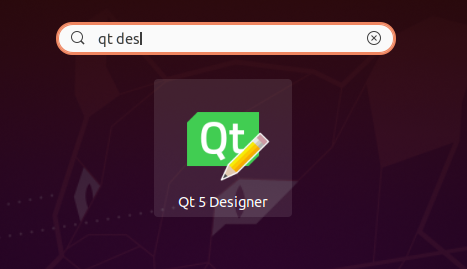 Qt Designer in Ubuntu launcher.
Frequently Asked Questions
Is Qt Designer free?
Yes, Qt Designer is free and open-source software. It is available under the GPL and LGPL licenses, meaning you can download and use it at no cost for both personal and commercial Python GUI projects.
What is the difference between Qt Designer and Qt Creator?
Qt Creator is a full integrated development environment (IDE) designed primarily for C++ development with Qt. Qt Designer is the visual GUI editor component that comes bundled with Qt Creator. For Python developers using PyQt or PySide, you typically only need Qt Designer -- not the full Qt Creator IDE.
Can I use Qt Designer with both PyQt and PySide?
Yes, Qt Designer produces .ui files that are compatible with both PyQt5, PyQt6, PySide2, and PySide6. You can design your interface once in Qt Designer and load the resulting .ui file with whichever Python Qt binding you prefer.
PyQt6 Crash Course by Martin Fitzpatrick — The important parts of PyQt6 in bite-size chunks
