This simple custom colour palette widget for PyQt5 and PySide2 accepts a list of colours when created, and presents these colours as an array of coloured buttons to click. Clicking on a button emits a signal with the clicked colour. Perfect to use in a bitmap drawing application or any Python GUI that needs a color picker.
Three palette widgets are provided —
PaletteHorizontal — Linear Horizontal Colour Palette
PaletteHorizontal displays colours in a linear horizontal palette.
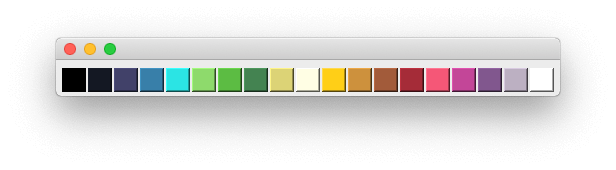 Horizontal Palette widget
PaletteGrid — Grid Colour Palette
PaletteGrid displays colours in a grid layout. This also accepts an optional second parameter n_columns, which is the number of columns to lay the colours out in. The default is 5 (as seen below).
PaletteGrid('17undertones', n_columns=5)
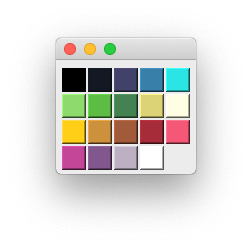 GridLayout Palette with 17 undertones
PaletteVertical — Vertical Colour Palette
There is also a vertical layout PaletteVertical available.
Built-in Colour Schemes
There are 3 built-in named colour-schemes paired12, category10 and 17undertones.
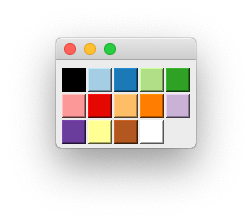 Paired 12 grid palette
Purchasing Power Parity
Developers in [[ country ]] get [[ discount.discount_pc ]]% OFF on all books & courses with code [[ discount.coupon_code ]]Custom Colour Lists
You can also provide any list of colours you like when creating the widget.
PaletteGrid(['#000003', '#160B39', '#410967', '#6A176E', '#932567', '#BA3655', '#DC5039', '#F2751A', '#FBA40A', '#F6D542', '#FCFEA4'])
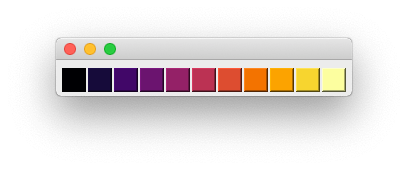 Bokeh Inferno 11
Signals
The palette provides only a single signal .selected which is emitted when a colour is selected in the palette. This sends the selected colour, in the same format as it was when setting the palette.
palette = PaletteHorizontal(['#000003', '#160B39', '#410967'])
palette.selected.connect(print)
The above would print to the console #000003 or #160B39 or #410967 as each colour was clicked.
Packaging Python Applications with PyInstaller by Martin Fitzpatrick — This step-by-step guide walks you through packaging your own Python applications from simple examples to complete installers and signed executables.
