macOS Mojave, released in September of last year, introduced a user-toggleable "Dark Mode". This enables a system-wide dark color scheme, intended to make things easier on your eyes at night, or less distracting when working with content. The mode was supported by all built-in Mac apps on release, but 3rd party applications — including Python GUI apps developed with PyQt5 — were left looking a bit out of place.
The support for Dark Mode in Qt was targeted for 5.12 which landed in December 2018, with the first Python support in PyQt 5.12 released February 2019.
Early implementations had a few issues (see below) but as of PyQt 5.12.2 it's looking great. The screenshots below show the same example app (a random assortment of widgets) under Dark Mode and (default) Light Mode on macOS Mojave.
pip3 install pyqt5==5.12.2
If you're on PyQt 5.12.2 or later, Dark Mode is automatic. If your computer is in Dark Mode, your PyQt5 apps should appear in the appropriate color scheme with no extra code required.
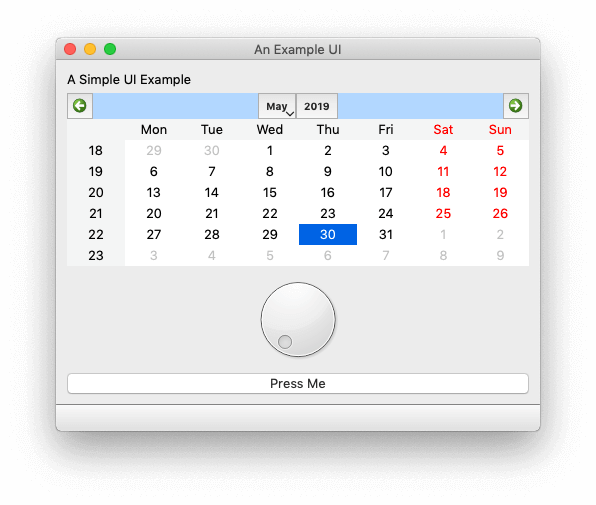 PyQt5 example app on macOS Mojave in Light Mode — PyQt 5.12.2
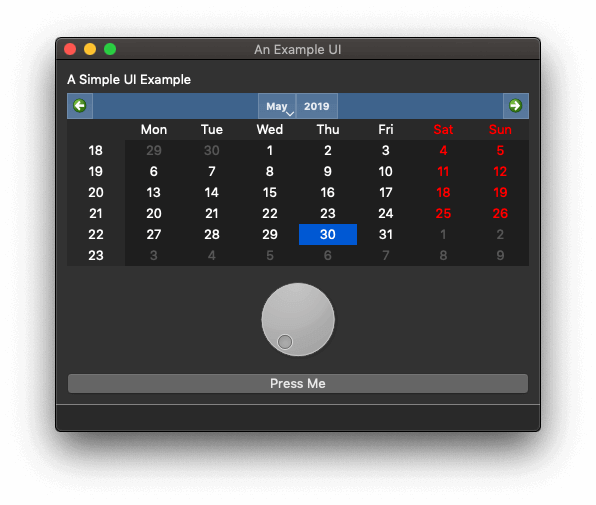 PyQt5 example app on macOS Mojave in Dark Mode — PyQt 5.12.2
PyQt5 Dark Mode issues on earlier versions
While PyQt 5.12.2 applications look great in macOS Mojave Dark Mode, earlier versions have had a few rendering issues. Below are screenshots of the same example app taken across earlier PyQt5 releases. If you're releasing your PyQt5 apps to macOS users, you should check how your application handles Dark Mode before shipping.
Downgrading to PyQt 5.12 produces the UI below — more or less fine, but with a missing color on the spin-wheel nubbin. It doesn't affect the functioning of the app, it just looks a bit less polished.
pip3 install pyqt5==5.12
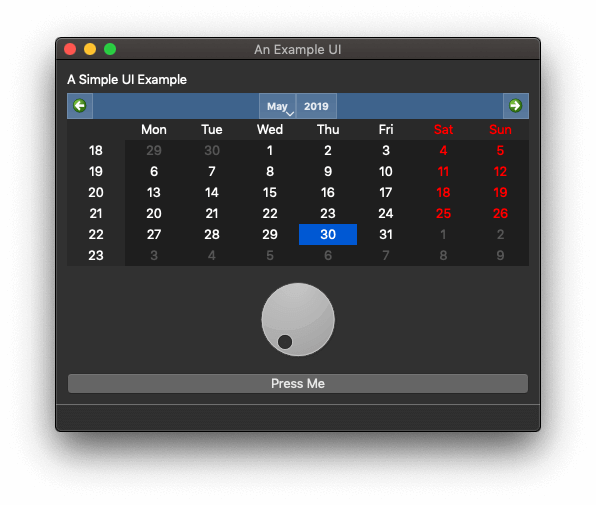 PyQt5 example app in Dark Mode — PyQt 5.12, showing minor style error
Downgrading further to PyQt 5.10 produces this disaster. Strangely the wheel is now shaded properly, but the text is white-on-white — making the app essentially unusable in Dark Mode.
pip3 install pyqt5==5.10
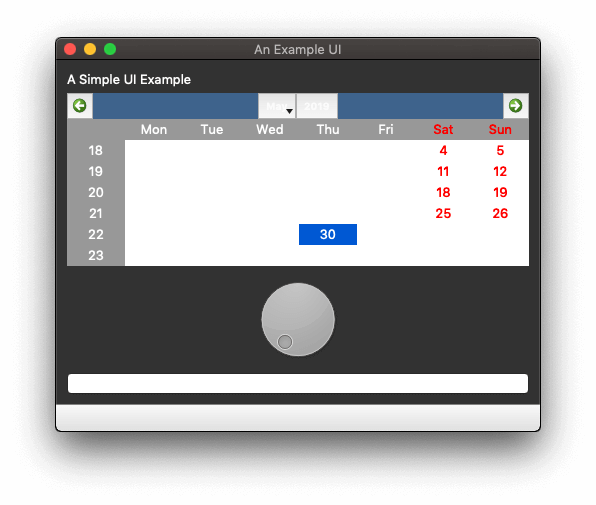 PyQt5 example app in Dark Mode — PyQt 5.10, white-on-white text rendering issue
Weirdly, although PyQt 5.11 looks just as bad, PyQt 5.9 looks slightly better (as in potentially usable).
pip3 install pyqt5==5.9
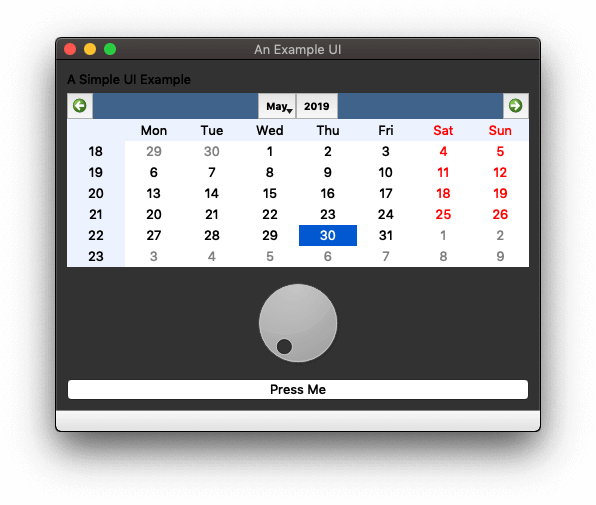 PyQt5 example app in Dark Mode — PyQt 5.9, at least you can see some of the text
Create GUI Applications with Python & Qt6 by Martin Fitzpatrick — (PySide6 Edition) The hands-on guide to making apps with Python — Save time and build better with this book. Over 15K copies sold.
Upgrade to PyQt 5.12.2 for full macOS Dark Mode support
The bottom line is: if you're targeting macOS with your Python GUI applications and using PyQt5 < 5.12.2, then now is the time to upgrade. Updating ensures your PyQt5 app looks as great as it can under Mojave Dark Mode, and your users get a consistent, native desktop experience. Simply run pip3 install pyqt5==5.12.2 (or later) to get full automatic Dark Mode support with no additional code changes required.
Comprehensive code review • Bugfixes & improvements • Maintainability advice and architecture improvements • Design and usability assessment • Suggestions and tips to expand your knowledge • Packaging and distribution help for Windows, Mac & Linux • Find out more.
