A professional kit for Claude Code · PySide6
Turn your Python scripts into a real desktop app.
You bring your scripts, notebooks, or half-baked tools that sort of work. This kit, together with Claude Code, will bring the result — a PySide6 desktop app, built the way an experienced Qt developer would build it, right first time.
[[ displayPrices['pri_01m87q3et1nm0rfzbj031t89s0'] ]][[ discountedPrice('pri_01m87q3et1nm0rfzbj031t89s0') ]] one payment · lifetime updates · team licenses available
Unzip it, open the folder in Claude Code, run /build-app. Nothing to install or configure.
The gap
You wrote the logic, but UI is a different skill.
Scientists, analysts and engineers write Python all the time. Getting it from working on your machine to something colleagues can actually run is another matter. That means learning a GUI framework and making a hundred decisions that are easy to get wrong the first time.
The window freezes
Your 40-second analysis step runs and the app goes grey. Fixing it means using threads, apparently.
The code tangles
Business logic leaks into button handlers, state is everywhere, and every new feature breaks two old ones.
AI makes it up as it goes along
Ask an AI for "a GUI" and you get something different each time. From a new structure and new conventions to new bugs.
This kit closes the gap. It is not just a well-engineered chat prompt. It's a curated set of best practices taken from years of real-world experience building desktop applications with Python & Qt. It includes custom rule-sets, a production-grade application template and a library of patterns that keep every build consistent and maintainable.
How it works
Plan first. Then build the app, one step at a time.
- Drop in your code. Scripts, notebooks or a half-finished app go into
inputs/. - Get interviewed. Claude surveys what you provided and asks targeted questions about inputs, windows and what needs to run in the background.
- Approve a spec. A plain-language
APP_SPEC.mdcomes before any code. You can agree to the plan instead of reviewing a wild surprise. - Watch it get built. Scaffolded from the template and built one window or feature at a time, each piece checked before the next begins.
- Keep going. The app keeps its spec and build log, with skills to add features, fix bugs and review the code.
> /build-app
● Surveyed inputs/
  spectra.py      baseline_correct(), find_peaks()
  explore.ipynb   14 cells, matplotlib plots, a ~40s fit
● How should spectra be loaded?
  (a) Open dialog  (b) Drag and drop  (c) Both
> c
● The fit is slow. Run it in the background
  with progress and a Cancel button?
> yes
● Wrote APP_SPEC.md. Review it, then say go.
> go
✓ Scaffolded spectra_app/ from kit/template
✓ Moved fitting into core/ (no Qt) · 6 tests
✓ Main window + plot · pattern: matplotlib-canvas
✓ Background fit · pattern: worker-threads
  git commit at every milestone
The pattern library
150+ tested PySide6 patterns, mined from real commercial apps
My entire commercial pattern library is included in this kit along with documentation and implementation notes. Claude checks the library and adapts the right patterns at build time, so the same problem gets the same proven solution. You can browse them yourself, too.
Background work & concurrency
worker-threadslong-subprocessjob-managerdebounced-analysis
Inputs & small widgets
toggle-switchrange-slidersearch-filter-listcolor-button
Graphics, canvas & multimedia
custom-paint-widgetzoomable-pannable-viewnode-socket-edge-graph
Data models & views
dataframe-table-modelsql-table-viewwidget-mapper-form
Settings, config & caching
qsettings-accessornamed-settings-profilesjson-config-store
Windows & OS integration
systraysecondary-windowcustom-title-bar
Layout, navigation & chrome
tabbed-interfacecollapsible-sidebar-menuwizard-stepper
Signals & messaging
global-signal-busshared-state-store
Forms & validation
form-validationdeclarative-form-builder
Text editing
syntax-highlighterfind-replace-panel
Plugins & registries
dynamic-plugin-loaderpanel-plugin-registry
Plotting & live data
matplotlib-canvaspyqtgraph-live-plot
Network & web
embedded-http-serverapi-session-auto-refresh
Dialogs & notifications
toast-notification-stacknotification-center-panel
Theming & icons
dark-themesvg-icon-recolor
Utilities
si-unit-formattertransaction-undo-log
Non-negotiable architecture
Built the way an experienced developer would. Every time.
Every app follows the same short rule set, so it stays responsive, testable and easy to change long after the first build.
- The GUI thread never blocks. Anything slow runs in a worker and reports back with signals.
- Business logic stays Qt-free. Your science lives in plain Python in
core/, testable without a display. - Signals only across threads. No shared mutable state, no race conditions.
- One top-level exception handler. Errors are reported, never swallowed or silently fatal.
All 16 rules
- Never block the GUI thread; anything slower than ~100ms runs in a worker.
core/contains no Qt imports — plain Python, testable without a display.- Cross-thread communication only through signals, never shared mutable state.
- Settings persist through
QSettings, not ad-hoc config files. - One
QApplication, created once. - All exceptions reach a single top-level handler.
- UI is built in Python code, not Designer
.uifiles — easier to diff, review and edit. - Long-running or blocking work goes through
workers, not directly in slots. - Icons, fonts and styles live under resources, referenced through one paths class.
- Every app ships with a smoke test that builds the main window headlessly.
- PySide6 and dependencies stay pinned in
pyproject.toml. - Qt models live in
models/, not inline in widgets. - Git is initialized at scaffold time, with a commit at every milestone.
- Custom-painted widgets read their colours from the theme, never hard-coded.
- UI-side state beyond a couple of fields uses a
ControllerBase, not ad-hoc widget instance attributes. - Widgets never reach other widgets through parent() chains.
● Edit core/fitting.py
  + from PySide6.QtCore import Signal
✗ PostToolUse hook: check_arch.py
  core/ must not import Qt (kit/RULES.md, rule 2):
  core/fitting.py:3: from PySide6.QtCore import Signal
● Moving the progress signal into the worker,
  keeping core/ plain Python.
✓ check_arch: okSeven built-in themes
Looks like a real app from day one.
Light, dark and five more beautiful themes to suit your style. Native widgets and custom-painted ones (like the chart below) stay in sync and switch cleanly at runtime.
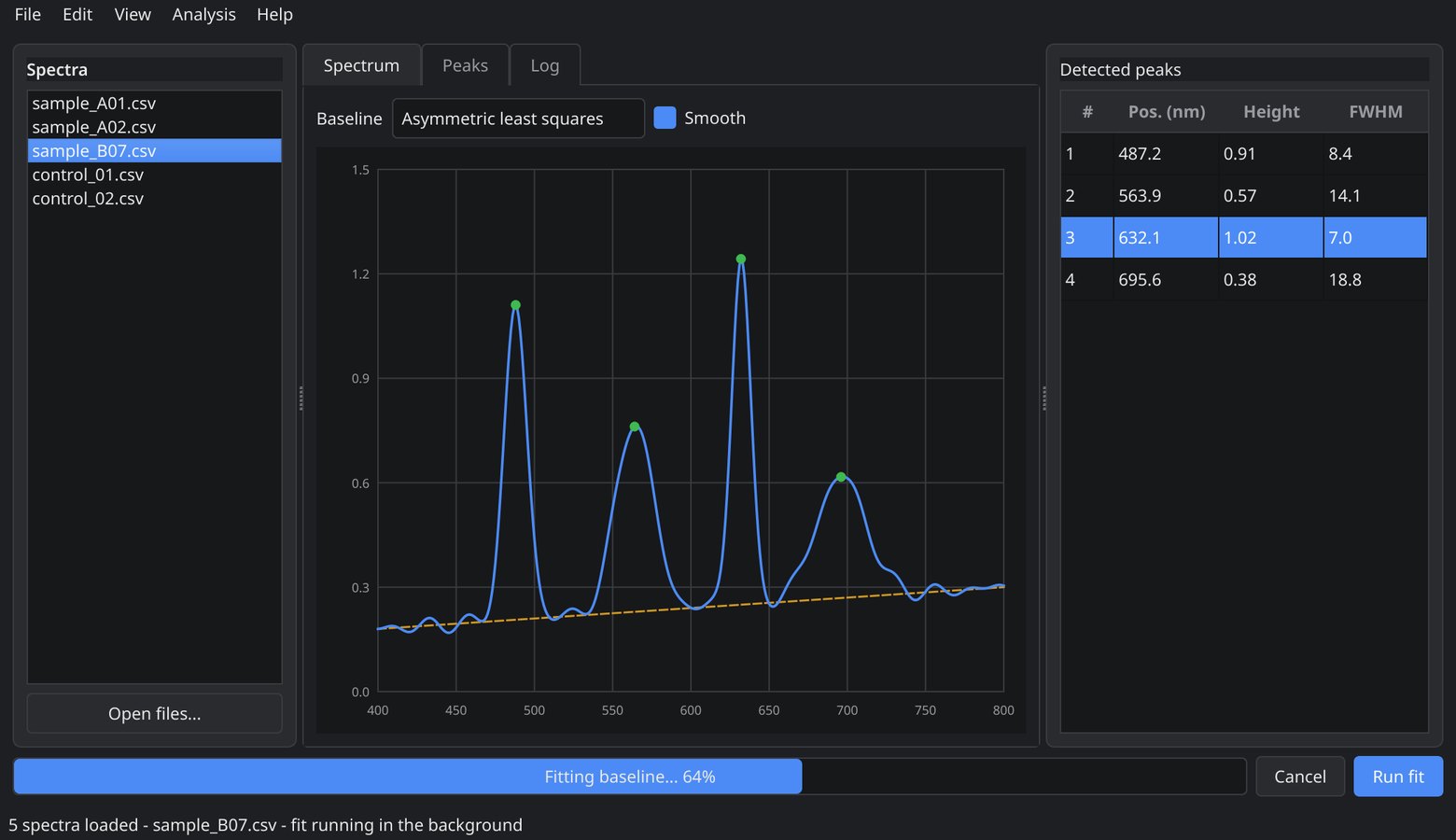
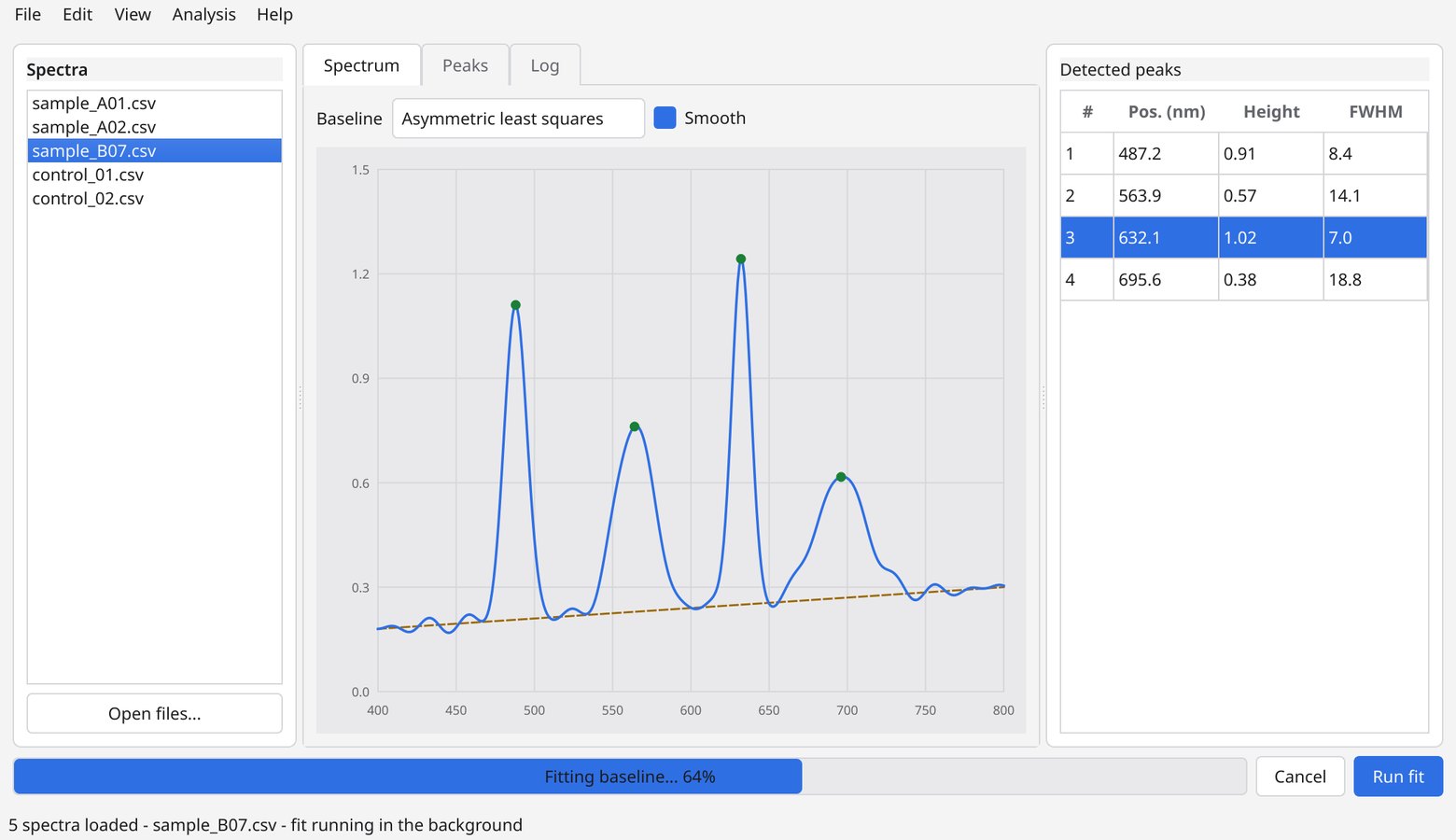
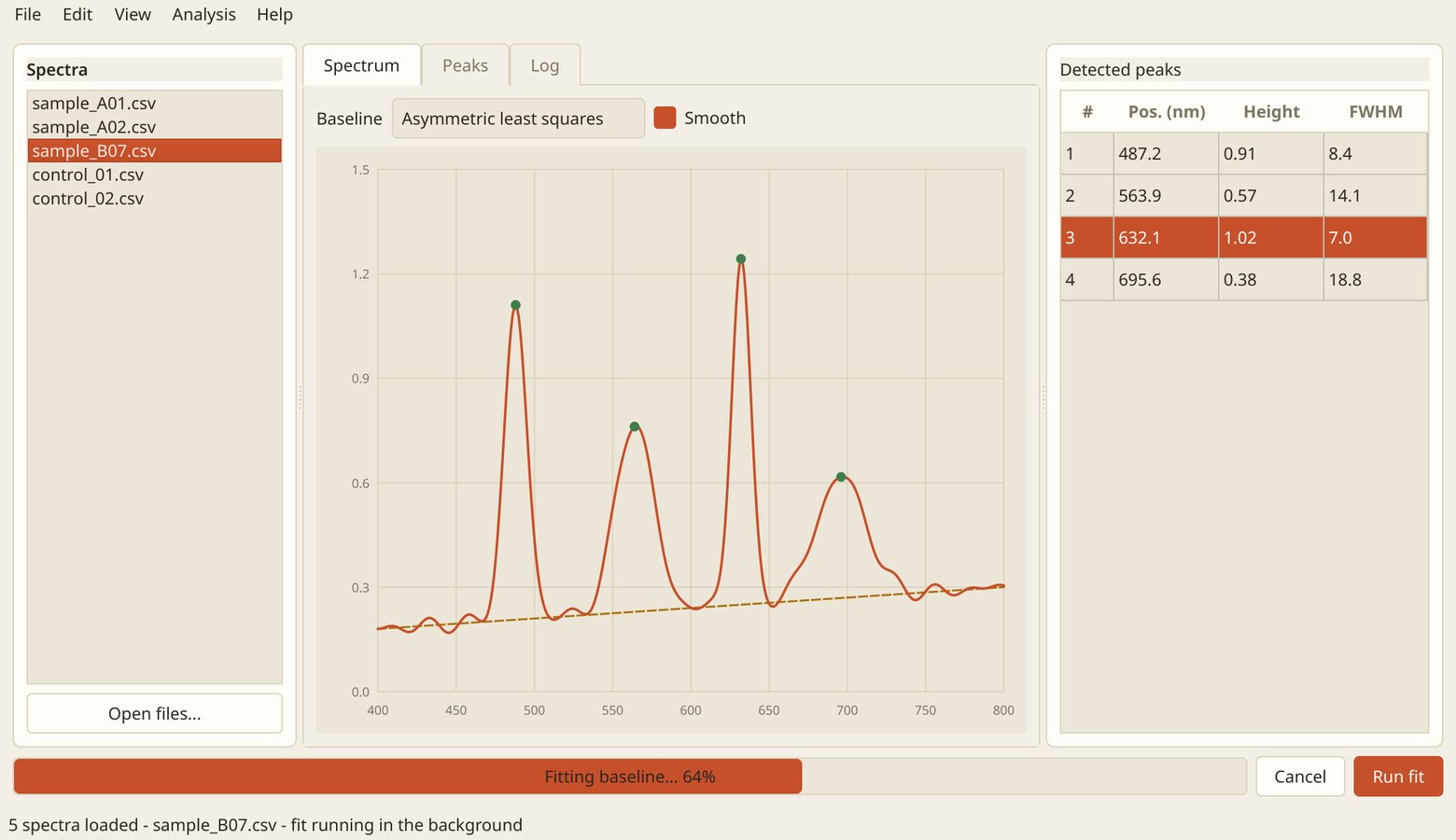
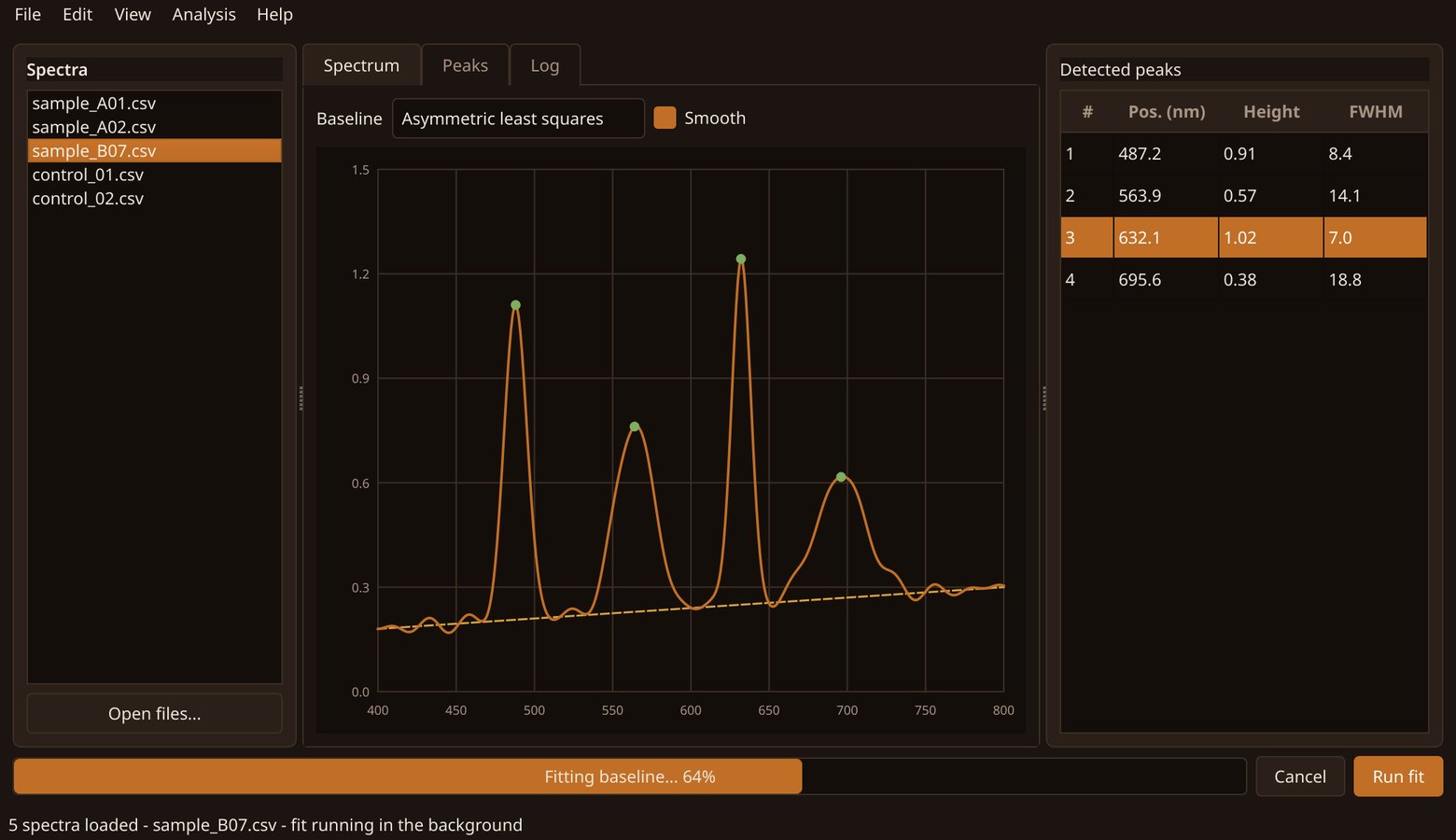
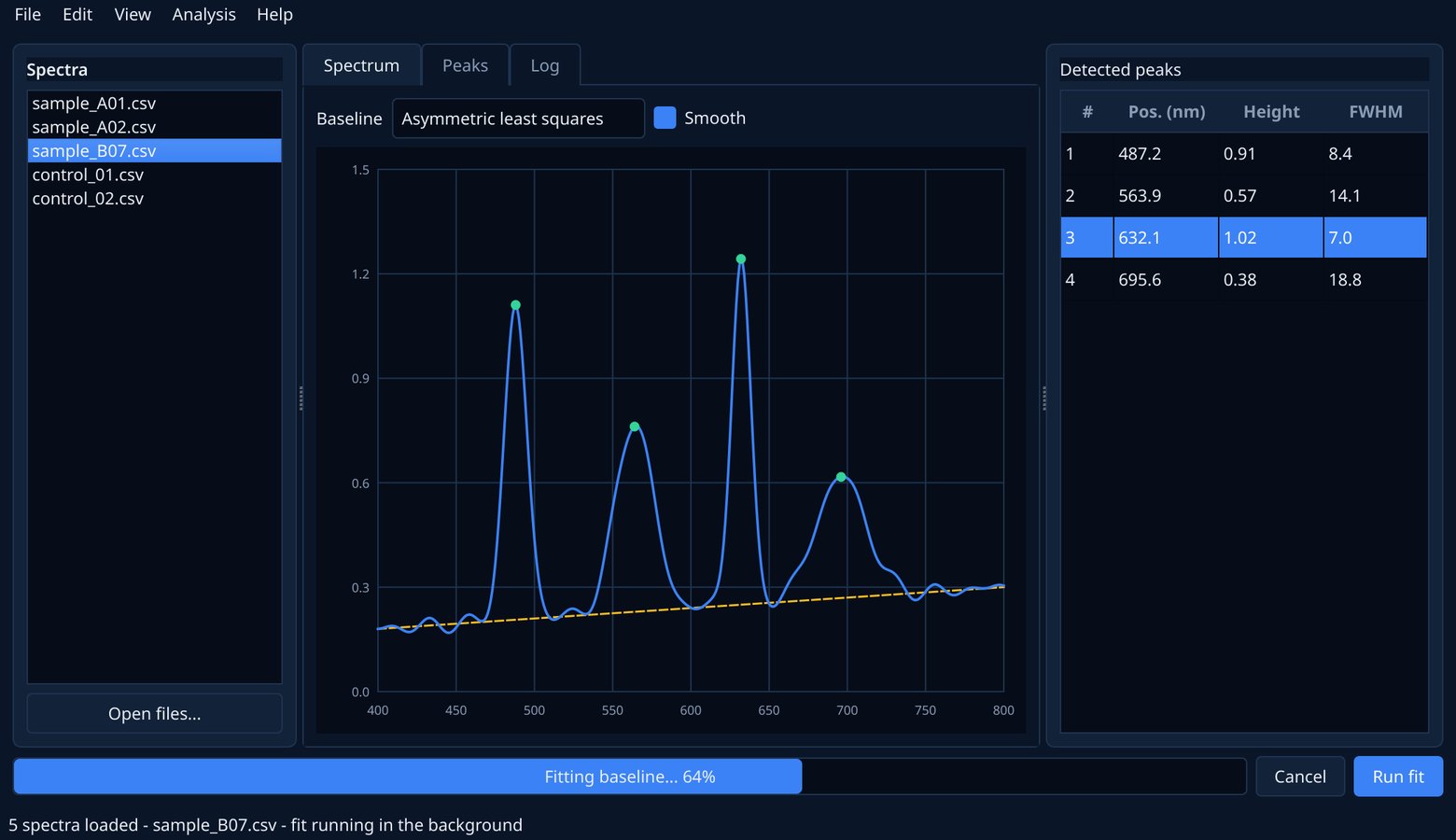
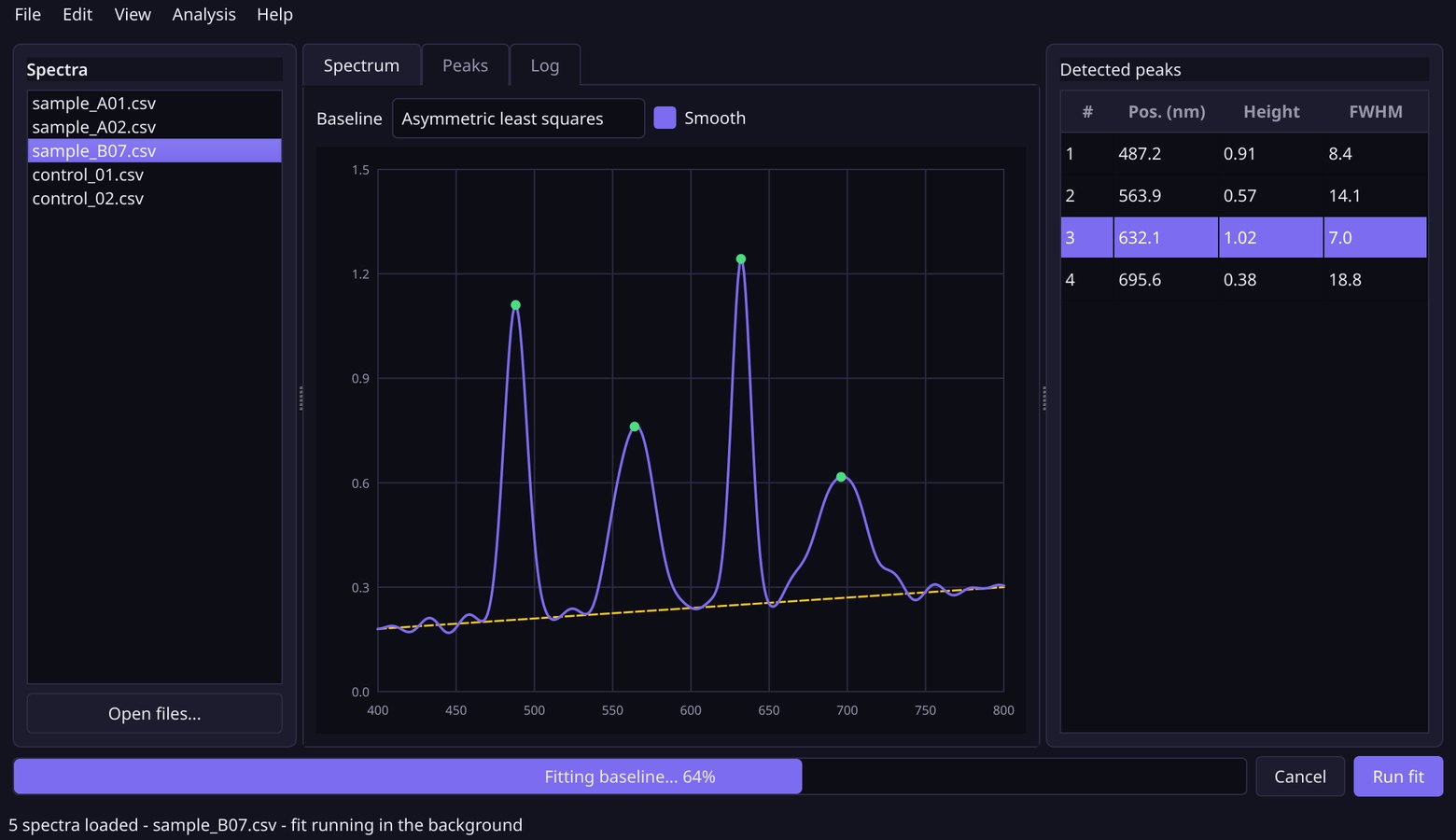
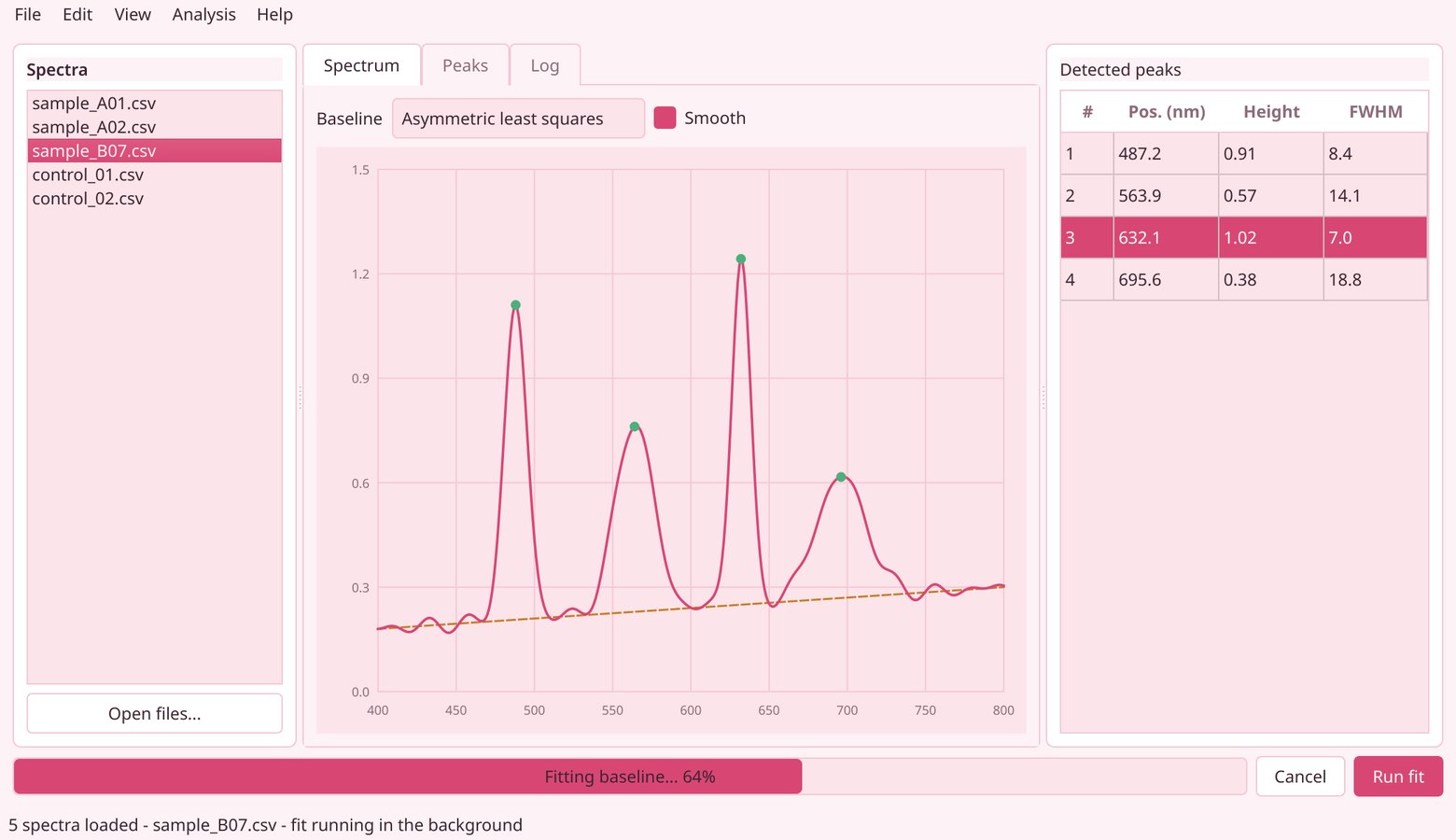
A small example window, rendered with the kit's own theme engine in each theme.
A production-grade skeleton
Not a blank folder.
Every project starts with a solid base: a proper Python package, managers for settings, threads and theming, a top-level exception handler, a smoke test from the first commit, and git with a commit at every milestone — so there's always a safe point to undo to.
spectra_app/
├── pyproject.toml     # uv, pinned PySide6
├── APP_SPEC.md        # what it does
├── BUILD_LOG.md       # how it was built
└── app/
    ├── core/          # your logic, no Qt
    ├── workers/       # background jobs
    ├── models/        # data models
    ├── managers/      # settings, workers, theme managers
    ├── controllers/   # ui controllers
    ├── signals.py
    ├── exceptions.py
    └── ui/
        ├── styles.py  # 7 themes
        ├── widgets/
        ├── components/
        └── assets/
A full lifecycle
Day one, and every day after.
/build-app
Survey, interview, spec, scaffold and build your app from whatever is in inputs/.
/add-feature
Add a feature against the app's existing spec, following the same rules.
/fix
Diagnose and fix a bug: reproduce, test, fix and verify.
/review
Audit the app against the rules, with violations flagged by file and line. Plus a fresh-context reviewer agent.
Who it's for
People who write working Python, but aren't app developers.
This kit is specifically designed for data scientists, researchers, analysts and engineers in other disciplines, who have working Python logic and a need to put it in front of other people — without becoming a GUI developer first.
Under the hood
- PySide6 (Qt for Python), managed with uv
- A standard
pyproject.tomlwith pinned dependencies - No proprietary format, nothing locked to Claude Code once it's built
- Hand it to any Python developer and they'll know exactly what they're looking at
Requires Claude Code, Python 3.10+ and uv.
Distilled from production work
Years of commercial PySide6 apps, in one kit.
Hi, I'm Martin Fitzpatrick. I've been developing Python/Qt applications for over 10 years — starting out, like many of you, making data-analysis tools friendlier to use — and I wrote Create GUI Applications with Python & Qt, with more than 15,000 copies sold.
The patterns in this kit come from that client work: the same solutions I reach for myself, every day, cleaned up into small, working examples. Plus the rules (and advice) I'd give any developer joining the team.
Your logic, a real app.
Skills, rules, the app template, seven themes and 150+ tested patterns. Unzip it, open it in Claude Code and run /build-app.
Personal
For one developer
[[ displayPrices['pri_01m87q3et1nm0rfzbj031t89s0'] ]][[ discountedPrice('pri_01m87q3et1nm0rfzbj031t89s0') ]]
- The complete kit
- Use it for any project, including commercial work
- The apps you build are entirely yours
- Lifetime updates
Team
For up to 5 developers
[[ displayPrices['pri_01m87qey6mqddhtzzf9h75xtgm'] ]][[ discountedPrice('pri_01m87qey6mqddhtzzf9h75xtgm') ]]
- Everything in Personal
- For your whole team, up to 5 developers
- The apps you build are entirely yours
- Lifetime updates
Larger team? Get in touch.
Purchasing Power Parity
To support developers in [[ country ]] I give [[ discount.discount_pc ]]% off on all books & courses. Use code [[ discount.coupon_code ]] in the checkout.Questions
Do I need to know PySide6 or Qt?
No. You need to be comfortable with Python, because it's your code going into the app. The kit and Claude Code handle the GUI side, and explain decisions in the spec and build log as they go.
What do I need to run it?
Claude Code, Python 3.10 or newer, and uv. There's nothing else to install: unzip the kit, open the folder in Claude Code and run /build-app.
Will my original code be changed?
No. Your scripts and notebooks stay untouched in inputs/. The app is built in its own folder, with your logic moved into plain Python functions under core/, so you can always refer back to the original.
What if I already have a half-finished app?
Put it in inputs/ too. Claude surveys whatever you provide — scripts, notebooks or a partial UI — before asking its questions.
Is the app locked to Claude Code?
No. Every app is an ordinary Python project with a standard pyproject.toml and pinned dependencies. Once it's built, any Python developer can work on it, with or without AI.
Can I use the patterns without Claude?
Yes. Each pattern is a self-contained, runnable example.py with a README, indexed by category, so they work as copy-paste starting points for your own PySide6 code.
Can I build more than one app?
Yes. Each app gets its own folder, spec and build log, and the kit's own files stay as they are, ready to scaffold the next one.
Who owns the apps I build?
You do, entirely. There are no royalties, attribution requirements or restrictions on the apps you build, including commercial ones.
What's the difference between Personal and Team?
Only who can use the kit: Personal is for one developer, Team for up to 5 developers. Both include the complete kit and lifetime updates. For a larger team, get in touch.
Do I get updates?
Yes, for life. As new patterns and improvements are added to the kit, you can download the latest version at no extra cost.